Why athletes love it
Check in. That's it. Your coach gets every new session on their own, with nothing to send.
The real photos, not compressed copies. Your coach sees your check-ins at full quality, the same as on your phone, so they can actually judge conditioning.
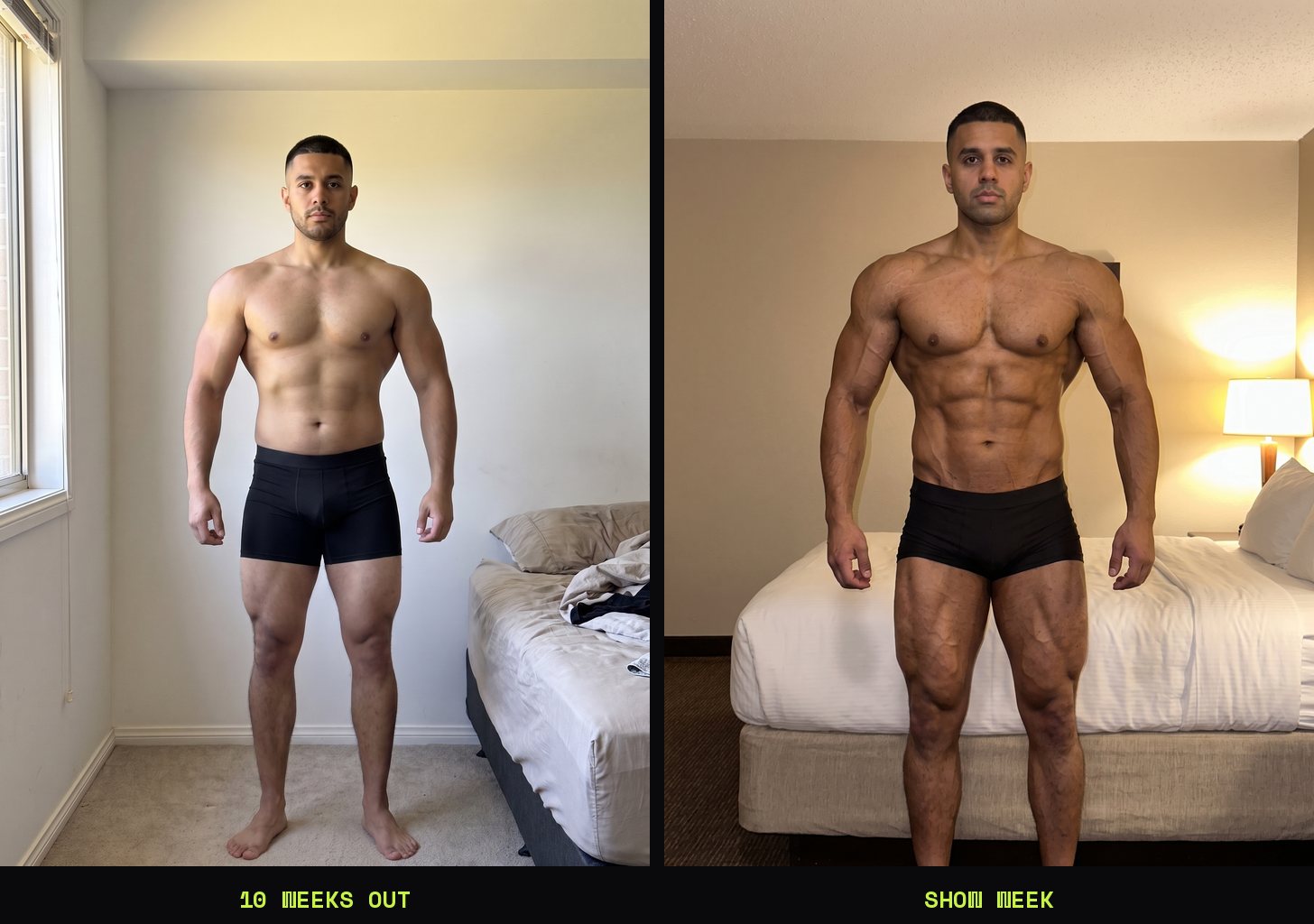
Same pose, same framing, every week. Your coach compares you side by side and builds timelapses from your actual check-ins, with no guessing whether the lighting changed or the angle moved.
You decide what they see. Share every session, or pick them one at a time. Unshare anything, any time.
Every client in one place. Free.
No more chasing check-ins across texts, email and DMs. Each client gets their own library in your app: view every pose, compare any two check-ins side by side, build a timelapse and export it. Search clients by name, sort by show date, and see new check-ins the moment they land.
Turn it on in Profile → Coaching → For Coaches, then open My Clients → Invite a client and send the link. One link works for all your clients.
Set it up in two minutes
Your check-ins, your call
Nobody sees your check-ins unless you say so. They stay on your phone until you choose to share them, and only with the coaches you approve.
Shared sessions are locked to your coach. Every photo is encrypted on your phone before it uploads to a CheckIn Pro folder in your Google Drive, not on our servers. Anyone who finds that folder, Google included (and us), sees scrambled files. Only the coaches you add can open them, and you decide which sessions they get.
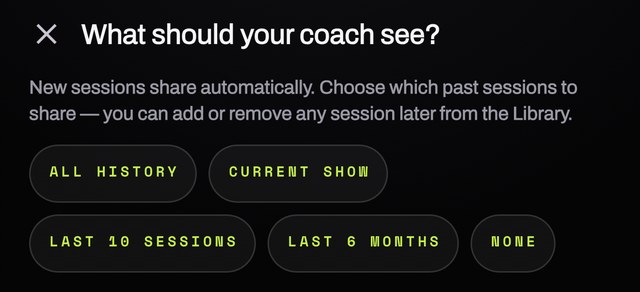
You stay in control. Unshare any session from your Library, or remove a coach: they're locked out of anything new, and their copies are deleted from their phone. Coaches can view, compare and export your check-ins, but they can't change or delete them. Full details are in our privacy policy.
Send your check-in however you already do
Already share photos with your coach? In your Library, tap Share last session (or Share on any session) and send the full-size photos straight to your own Google Drive folder, Dropbox or any other cloud app. Your choice. Each photo is named with your name, the pose and the date, so they stay organized.
Just want to email your weekly check-in? Same button, pick Mail. Simple.
Troubleshooting
Coach Mode is new and we fix issues fast. First, update CheckIn Pro from the App Store or Google Play — on both phones, yours and your coach's. Then find what you're seeing below.
Quick check: open Profile → Coaching. If you see your Google account with DISCONNECT beside it, Google Drive is connected. If you see a CONNECT GOOGLE DRIVE button, it isn't — and nothing reaches your coach until it is.
For athletes
I tapped my coach's link and nothing happened
Install or update CheckIn Pro first, then tap the link again from the text or email it came in — don't copy it into a browser.
Still nothing? Ask your coach for their coach code, then go to Profile → Coaching → MY COACHES → ADD COACH and paste it.
Google sign-in closed, or I backed out of it
Nothing is lost. Go to Profile → Coaching and tap CONNECT GOOGLE DRIVE to finish.
When Google shows its permission screen, tick the Google Drive box before you tap Continue. Without it, your check-ins can't reach your coach.
I don't have a Google account
You can make one free in about a minute, using the email you already have — on iPhone, tap Create one free under CONNECT GOOGLE DRIVE.
Rather not use Google? Use DON'T USE GOOGLE DRIVE? SEND A LOCKED FILE INSTEAD in Profile → Coaching, or send photos your own way (see Prefer your own way? above).
Google Drive permission is missing — tap SYNC NOW to allow it Drive connected, but sharing won't work
Google's Drive box wasn't ticked. Tap SYNC NOW — Google asks again — and this time tick the box for Google Drive.
My coach can't see my check-ins
1. Do the quick check above — Google Drive must be connected.
2. Keep CheckIn Pro open until your first upload finishes. If you close it, it picks up where it left off next time.
3. Make sure the session is shared: under SESSION SHARING WITH COACHES, choose SHARE AUTOMATICALLY for new sessions, or share a past session from your Library.
4. Still nothing after a few minutes? Tap Coach not connected? in Profile → Coaching and send your coach that link. One tap on their end fixes it, and it's safe to send even if you're already connected.
Google Drive is full — free up space, then tap SYNC NOW Uploads stopped
Your Google Drive storage is full. Free up space in Google Drive (or Gmail and Google Photos, which share it), then tap SYNC NOW.
Google Drive is busy — tap SYNC NOW in a minute Uploads paused
Google is slowing down requests for a moment. Wait a minute and tap SYNC NOW. Nothing is lost.
Offline — will sync when you're back online No signal
Nothing to do. Your check-ins upload on their own once you're connected — open CheckIn Pro when you're back on Wi-Fi or data.
WAITING FOR YOUR COACH My invite is still waiting
Your coach needs to tap your invite link on their phone, with CheckIn Pro installed. Unused invites expire after 7 days — tap Cancel invite and send a new one.
For coaches
Where do my clients show up?
Turn on COACH MODE in Profile → Coaching (under FOR COACHES). Your clients then appear in MY CLIENTS. To add someone, tap INVITE A CLIENT and text them the link.
WAITING FOR THEIR PHONE · AUTO-CHECKS · TAP TO CHECK NOW A client is connected but no photos yet
Their check-ins haven't uploaded yet. Usually your client hasn't connected Google Drive, or closed the app mid-upload — send them this page.
Tap the client to check again any time.
Photos are still loading
Open CheckIn Pro and go to MY CLIENTS, then keep the app open while new check-ins download. Full-quality photos take a little while on mobile data.
INVITE EXPIRED — ASK THEM TO SEND A NEW ONE An invite link stopped working
Invites last 7 days. Ask your client to send a new one, or send them a fresh link with INVITE A CLIENT.
STOPPED SHARING WITH YOU · TAP FOR OPTIONS A client disappeared
They removed you as their coach or turned off sharing. Nothing new reaches you until they share again — tap the client for your options.
I coach on a second phone or tablet
On the second device, open MY CLIENTS, find COACHING ON ANOTHER DEVICE TOO?, and paste the coach code from your first device. Shares then open on both.
Still stuck? Email physiquetracker@gmail.com with what you see on screen — a screenshot helps — and we'll sort it out.
Coaches and athletes: tell us what to build next
Coach Mode is being shaped with athletes and coaches right now. Problems, ideas and feature requests go straight to the team.
physiquetracker@gmail.com